Getting Started with EasyPrep
Learn how to set up your EasyPrep account, configure your institute profile, and invite your first students.
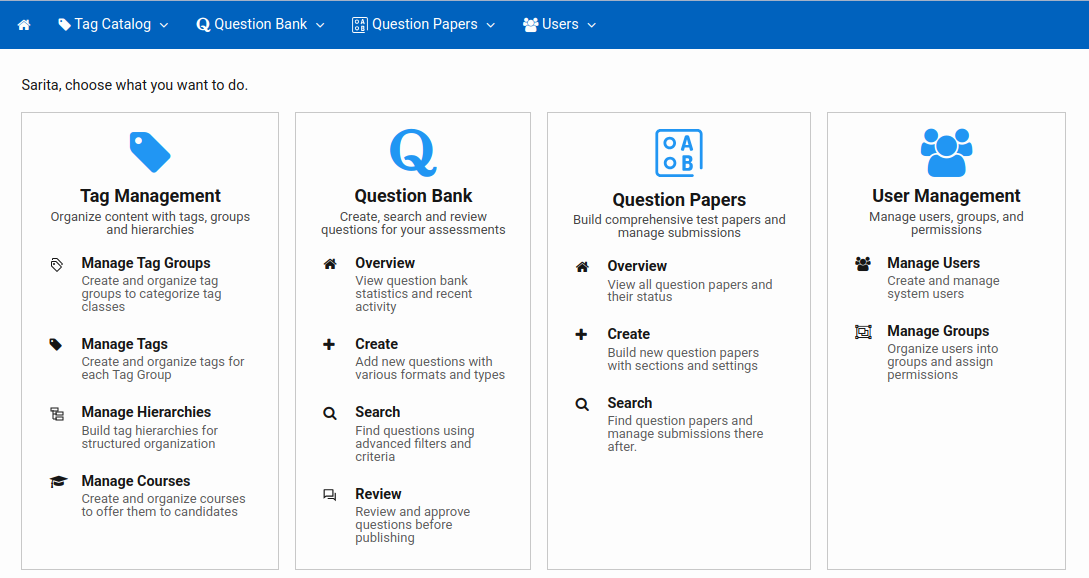
This tutorial will guide you through a conceptual understanding of how different pieces work together on EasyPrep platform.
Before you setup your content, understanding of overall system is important.
You need to setup Tag Groups, Tags and Tag Hierarchies. It is the first and one-time setup. They are central to manage and organize your content.
Then you should create Question Papers, Questions, etc.
# Tag Catalog
# Tag Groups
Tag Group defines a dimension along which you want to classify content. Think of it as a column heading in a table.
Example: A question can be classified by Difficulty Level, Subject, Chapter, etc. Each of these things are different dimensions of the question. They are classified as Tag Group.
# Tags
A Tag is a specific value inside a Tag Group.
Example: For Difficulty Level, each question can be said Easy, Medium or Hard. To represent this, Difficulty Level is Tag Group and Easy, Medium and Hard are Tags under this Tag Group.
# Tag Hierarchies
Tag Hierarchy creates the relationship among different Tag Groups in a parent-child tree.
Example: Subject -> Chapter -> Topic can be one such hierarchy where Subject, Chapter and Topic are Tag Groups.
Once you create Tag Hierarchy, you need to also define which Tag of a Parent Tag Group has what Tags of the child Tag Group.
Example: Physics -> Thermodynamics -> IsoThermal Process is one such mapping for the above hierarchy.
# Question Bank
The Question Bank is the central repository for all your assessment questions. Every question you want to use in tests or mock tests lives here. You create questions once, tag and organize them, review their quality, and then publish them so they become available across the platform.
# Question Papers
A Question Paper is a structured test or exam built from questions in your Question Bank. A paper defines what questions appear, how they are organized in sections, how scoring works and how the test experience is controlled for students — timers, navigation, answer checking, and more.
# Courses
A Course is an enrolment unit for your students. When a candidate is given access to a course, they can discover and consume the content of that course.
Course can also act as content filter — they control which portion of your Tag Hierarchy is visible and searchable for that group of candidates.
Note: When a student logs in, a list of his/her courses is presented. Student selects one of the course. List of visible Tags of First Tag Group in the Course Tag Hierarchy is presented to student. On selection of one Tag, student navigates to the relevant content.
# Users, Groups & Permissions
# Users
Users are individual accounts — your content authors, reviewers, administrators, and students, everyone at one place.
# Groups
Groups are named collections of users. Instead of configuring permissions for each user individually, you configure it once on the group and all members inherit it.
# Permissions
Permissions are rules that define what actions a group is allowed or denied on specific services.