Question Papers Overview
Learn what a Question Paper is, how it is structured, how the publish workflow works, and how papers connect to your questions and tags.
A Question Paper is a structured test or exam built from questions in your Question Bank. A paper defines what questions appear, in what order, how scoring works, and how the test experience is controlled for students — timers, navigation, answer checking, and more.
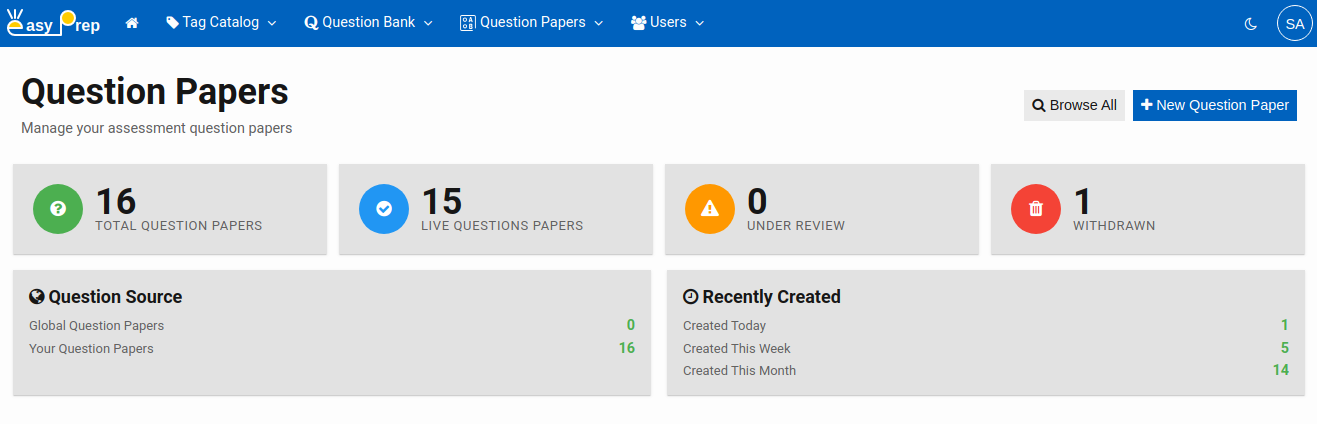
# What the Dashboard Shows
When you open Question Papers, the home page shows a summary of your paper library:
| Card | What it means |
|---|---|
| Total Question Papers | All papers regardless of status |
| Live Question Papers | Papers that have been published and are available for students |
| Under Review | Papers that have been created but not yet published |
| Withdrawn | Papers that were live but have been taken down |
You can also see how many papers are shared globally vs. created by your institution, and a breakdown of recent activity.
# How a Paper Is Structured
A question paper is made up of a Table of Contents (ToC) — a hierarchy of items that organize how questions are presented. There are three types of items you can add:
| Item type | What it is |
|---|---|
| Section | A named container that groups related question sets or paragraphs. Sections can have their own time limits. Use sections to divide a paper into subjects or parts (e.g., "Part A — Physics"). |
| Question Set | A collection of questions from the Question Bank. Each question set has its own scoring rules, time limit, and shuffle settings. This is where the actual questions live. |
| Text Paragraph | A block of instructional text or a reading passage shown to students before a question set. Paragraphs can have a reading time limit. |
A simple paper might have a single Question Set. A complex exam (like NEET or JEE) might have multiple Sections, each with one or more Question Sets.
Note: Question Paper does not have any explicit structure. You can organize your question paper different sections and different question sets along with instructions you wish.
# The Publish Workflow
Papers follow the same three-state workflow as questions:
Under Review → Live → Withdrawn
| Status | Meaning |
|---|---|
| Under Review | Paper is being built or has not been approved yet. Not visible to students. |
| Live | Paper is published and available for student assignments or test sessions. Live papers are read-only. |
| Withdrawn | Paper has been taken down. No longer active, but remains in the library. |
# How Papers Connect to Tags and Questions?
- Tags — you can tag a paper just as you tag questions. This lets you filter and find papers by subject area, exam type, difficulty, or any dimension in your Tag Catalog.
- Questions — when building a paper, you select questions from the Question Bank using the built-in search and filter dialog.
Note: Papers do not duplicate questions. They reference them. If a question is updated in the Question Bank, the paper automatically reflects the latest version.
# Getting Started
Three main tasks for the Question Paper are:
- Create a Question Paper — Build and configure a new paper
- Search Question Papers — Find and manage existing papers
- Viewing and Assessing Submissions — View and analyze submissions of a question paper